Posts mit dem Label hgmithtml werden angezeigt. Alle Posts anzeigen
Posts mit dem Label hgmithtml werden angezeigt. Alle Posts anzeigen
Mittwoch, 19. August 2009


Montag, 25. Mai 2009
hintergründe auf multiply, auch ineinandergeschachtelte
hintergründe in multiply postings
anlass: http://derstartspezial.multiply.com/journal/item/2136/wie_erstellt_mann_ein_Hintergrundbild_bei_multiply
beispiel:
http://cafeofftopic.multiply.com/journal/item/2411/2411
das <DIV></DIV> kann man völlig weglassen
<TABLE cellSpacing=1 cellPadding=1 background=http://i187.photobucket.com/albums/x292/VpM_album/Coffehouse/Grafik22.jpg border=12>
<TBODY>
<TR>
<TD> </TD></TR></TBODY></TABLE>
für einen doppelten hg hier die erklärung:
http://tippsundtricks.multiply.com/journal/item/28/Blogeintrag_mit_RandHG
romaines entdeckung und anleitung
<table align="center" background="Border Image URL" bgcolor="" border="0" cellpadding="0" cellspacing="10"> <tbody> <tr> <td bgcolor=""> <table align="center" bgcolor="" border="0" cellpadding="20" cellspacing="0"> <tbody> <tr> <td background="Background Image URL" bgcolor=""> </td></tr></tbody></table></td></tr></tbody></table>
nehmen wir uns einen blauen doppelhintergrund vor und suchen uns dazu bilder aus multiply ordnern:
hg für den rand: aus dem album für blaue hintergründe:
http://cafeofftopic.multiply.com/photos/album/17/HG_blau#59
rechtsklick > eigenschaften > adresse: http://images.bernsteinhexesusanne.multiply.com/image/2:cafeofftopic/photos/17/600x600/59/th-Blau11.jpg?et=zGsM0K6pN8gkwUty3WEQJg&nmid=182465155
:
hg für die schreibfläche: aus dem album für blaue hintergründe:
http://cafeofftopic.multiply.com/photos/album/17/HG_blau#36
rechtsklick > eigenschaften > adresse:
http://images.bernsteinhexesusanne.multiply.com/image/2:cafeofftopic/photos/17/600x600/36/blau187.gif?et=JMtc9hLumCc4%2BRCy9cARWg&nmid=182465155
einsetzen in romaines text:
<table align="center" background="http://images.bernsteinhexesusanne.multiply.com/image/2:cafeofftopic/photos/17/600x600/59/th-Blau11.jpg?et=zGsM0K6pN8gkwUty3WEQJg&nmid=182465155" bgcolor="" border="0" cellpadding="0" cellspacing="10"> <tbody> <tr> <td bgcolor=""> <table align="center" bgcolor="" border="0" cellpadding="20" cellspacing="0"> <tbody> <tr> <td background="http://images.bernsteinhexesusanne.multiply.com/image/2:cafeofftopic/photos/17/600x600/36/blau187.gif?et=JMtc9hLumCc4%2BRCy9cARWg&nmid=182465155" bgcolor=""> </td></tr></tbody></table></td></tr></tbody></table>
anlass: http://derstartspezial.multiply.com/journal/item/2136/wie_erstellt_mann_ein_Hintergrundbild_bei_multiply
beispiel:
http://cafeofftopic.multiply.com/journal/item/2411/2411
das <DIV></DIV> kann man völlig weglassen
<TABLE cellSpacing=1 cellPadding=1 background=http://i187.photobucket.com/albums/x292/VpM_album/Coffehouse/Grafik22.jpg border=12>
<TBODY>
<TR>
<TD> </TD></TR></TBODY></TABLE>
für einen doppelten hg hier die erklärung:
http://tippsundtricks.multiply.com/journal/item/28/Blogeintrag_mit_RandHG
romaines entdeckung und anleitung
<table align="center" background="Border Image URL" bgcolor="" border="0" cellpadding="0" cellspacing="10"> <tbody> <tr> <td bgcolor=""> <table align="center" bgcolor="" border="0" cellpadding="20" cellspacing="0"> <tbody> <tr> <td background="Background Image URL" bgcolor=""> </td></tr></tbody></table></td></tr></tbody></table>
nehmen wir uns einen blauen doppelhintergrund vor und suchen uns dazu bilder aus multiply ordnern:
hg für den rand: aus dem album für blaue hintergründe:
http://cafeofftopic.multiply.com/photos/album/17/HG_blau#59
rechtsklick > eigenschaften > adresse: http://images.bernsteinhexesusanne.multiply.com/image/2:cafeofftopic/photos/17/600x600/59/th-Blau11.jpg?et=zGsM0K6pN8gkwUty3WEQJg&nmid=182465155
:
hg für die schreibfläche: aus dem album für blaue hintergründe:
http://cafeofftopic.multiply.com/photos/album/17/HG_blau#36
rechtsklick > eigenschaften > adresse:
http://images.bernsteinhexesusanne.multiply.com/image/2:cafeofftopic/photos/17/600x600/36/blau187.gif?et=JMtc9hLumCc4%2BRCy9cARWg&nmid=182465155
einsetzen in romaines text:
<table align="center" background="http://images.bernsteinhexesusanne.multiply.com/image/2:cafeofftopic/photos/17/600x600/59/th-Blau11.jpg?et=zGsM0K6pN8gkwUty3WEQJg&nmid=182465155" bgcolor="" border="0" cellpadding="0" cellspacing="10"> <tbody> <tr> <td bgcolor=""> <table align="center" bgcolor="" border="0" cellpadding="20" cellspacing="0"> <tbody> <tr> <td background="http://images.bernsteinhexesusanne.multiply.com/image/2:cafeofftopic/photos/17/600x600/36/blau187.gif?et=JMtc9hLumCc4%2BRCy9cARWg&nmid=182465155" bgcolor=""> </td></tr></tbody></table></td></tr></tbody></table>
Montag, 2. März 2009
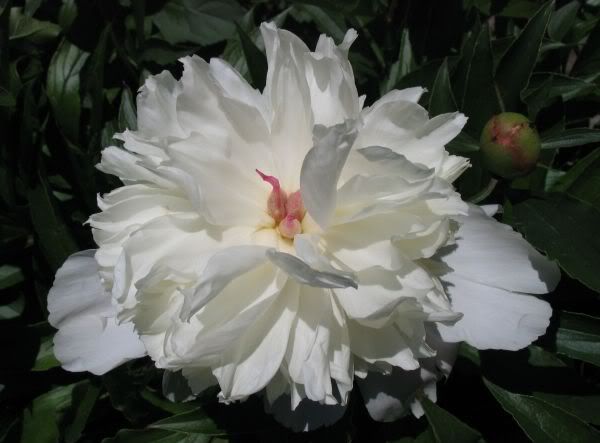
ACHTUNG, TEST!!! BREITE tabellenseite mit blüten
| |||||||||||||||||||||||||


Abonnieren
Posts (Atom)